How to Remove Music from a Video
Silencing a clip and keeping only the voice are two different jobs, so here's how to remove music from a video both ways, tested.
Tested by the Remove Music From Video team · Updated November 16, 2026
How to remove music from a video, in short
How to remove music from a video and keep the voice: upload the video to a music remover, let it split the voice from the music, compare the result, then download the video with only the voice. To silence everything instead, mute or delete the audio track in any video editor.
Silence the Clip, or Keep the Voice?
Before you learn how to remove music from a video, decide which result you need.
Mute
Silence everything
Mute the clip or delete its audio track in iMovie, CapCut, Premiere or your phone's editor. The music goes, and so does every word and sound effect. That is how to remove music from a video when you want silence.
Need the words to stay? Take the other path. Steps for one app: how to remove music from iMovie and how to remove music from TikTok video and how to remove music from a video on iPhone.
Keep the voice
Take only the music out
A music remover splits the soundtrack into a voice track and a music track, then puts the voice back under your picture. This is how to remove music from a video without losing the voice, and it is what the remove music from video tool on this site does.
Follow the four steps below to see how to remove music from a video this way.
How to Remove Music from a Video in 4 Steps
These steps show how to remove music from a video in your browser, on a computer or a phone. Step 1 is the tool itself, so you can follow along with your own clip.
Choose your video
Drop an MP4, MOV or WebM up to 500 MB and 30 minutes into the box below. Only the audio and a few small frames are uploaded. No clip at hand? Play the example to hear how to remove music from a video first.
Your video without music will play here
- 5 free minutes for new accounts
- About 30 to 40 seconds for a 1 minute video
- Voice and music tracks included
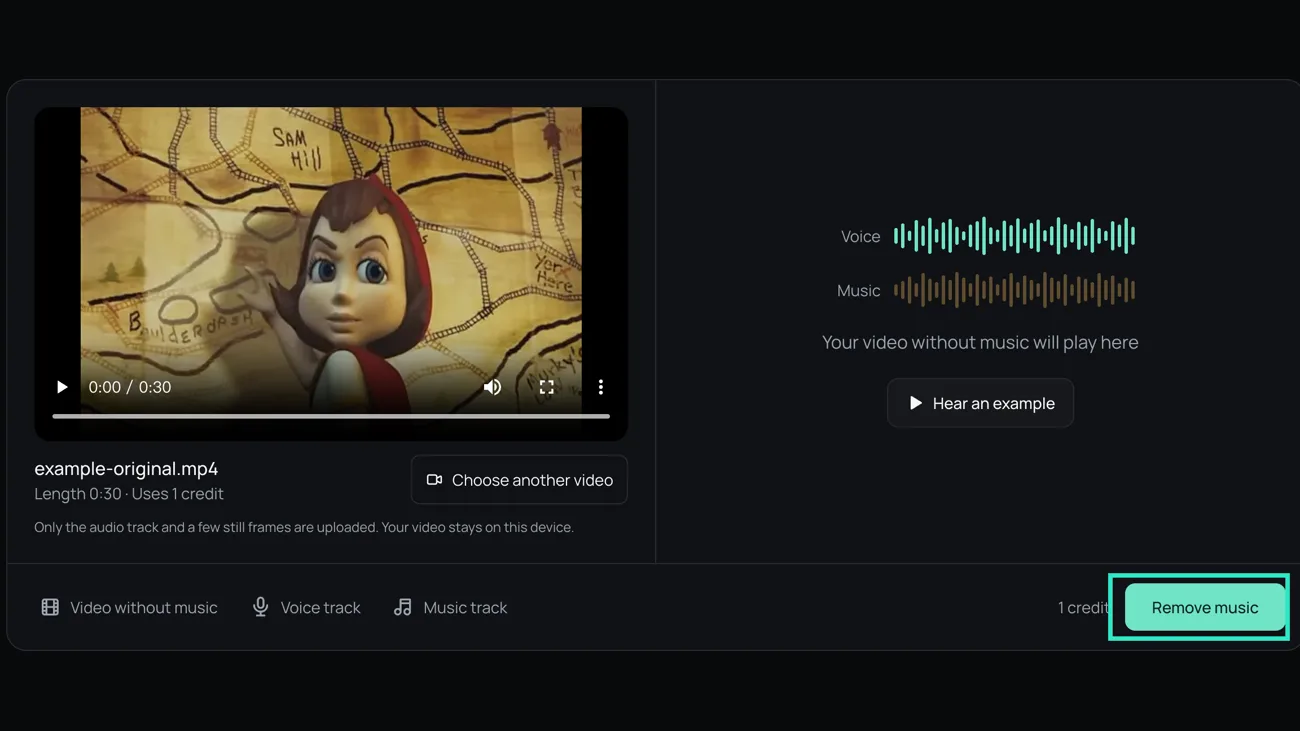
Remove the music
Press Remove music. A 1 minute video takes about 30 to 40 seconds and a 5 minute video about 2 minutes. This is the slow part of how to remove music from a video, so keep the tab open while it works.
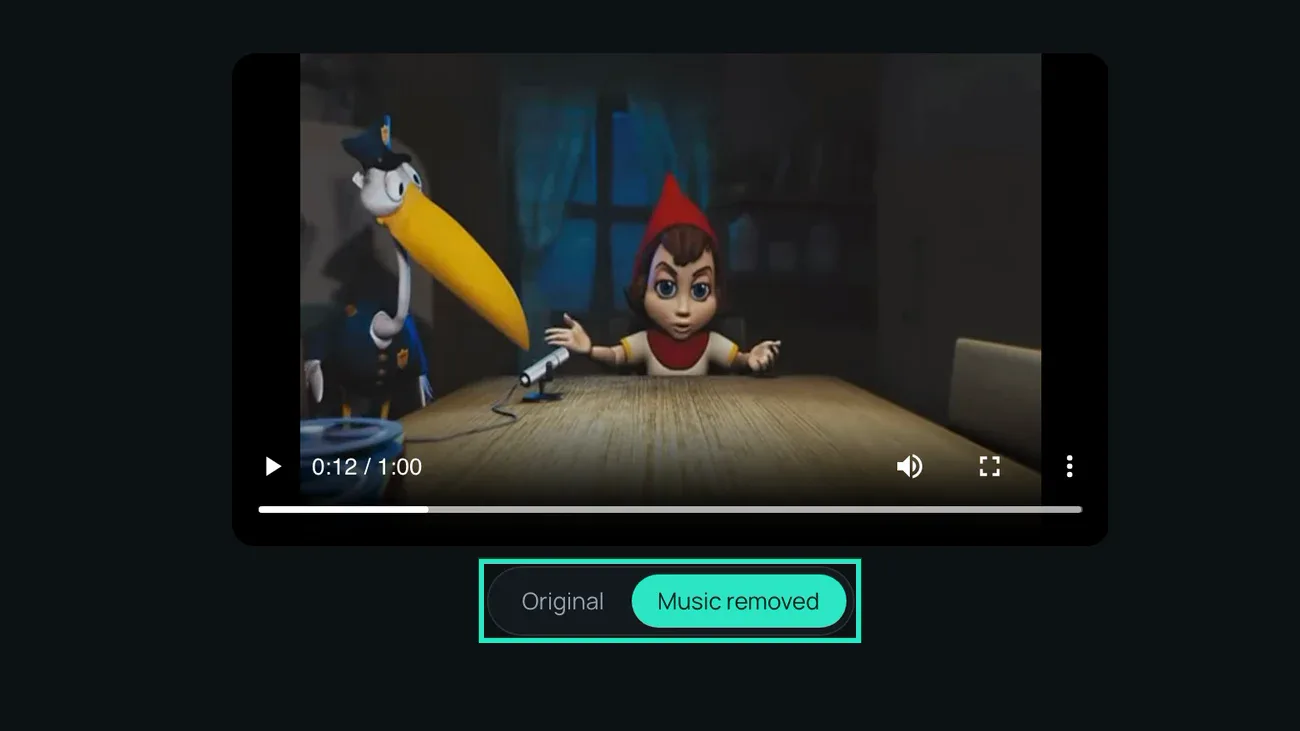
Check the voice
Switch between Original and Music removed while the video plays. Listen to a quiet line and to the loudest part of the song: that is where leftovers show up. Checking is the step people skip when they learn how to remove music from a video.
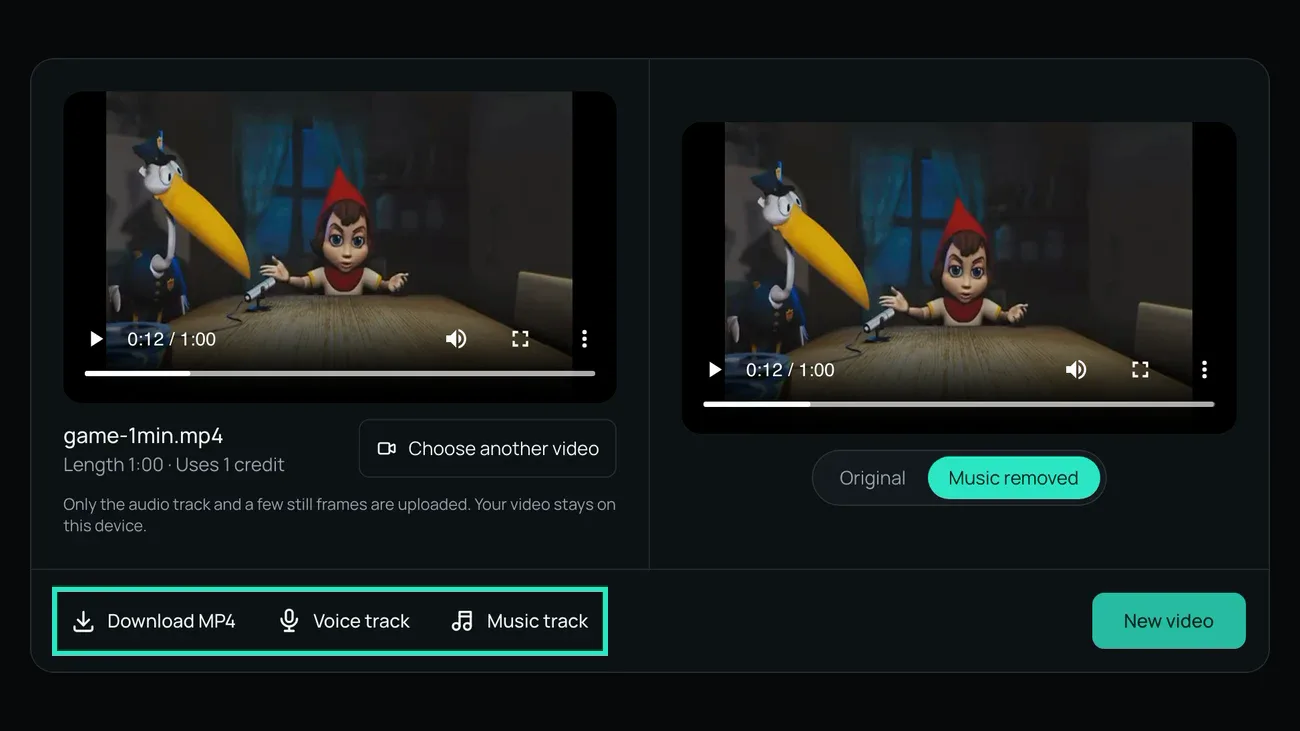
Download
Save the MP4 without music, or the voice track and the music track as separate files to edit yourself. That is how to remove music from a video and keep voice in one pass.
What the Video Sounds Like After
Here is how to remove music from a video in practice: one 30 second test clip, three tracks you can play.
Before: speech with piano under it

After: the voice on its own

Taken out: the music track

When the Music Doesn't Fully Go Away
Knowing how to remove music from a video also means knowing what to do when the result is not clean. Three problems and the fix for each.
A little music is still there
Why
The music was as loud as the speech, the hardest case in how to remove music from a video. In our test that left piano about 18 dB under the words.
What to do
Run the voice track through the voice isolator again. For hiss and hum, see remove background noise from video.
The voice sounds thin
Why
The voice was quiet or recorded in a big room; the music was covering that.
What to do
Raise the voice track 3 to 6 dB. Room echo stays: how to remove music from a video and how to remove echo are different jobs.
Sound effects disappeared too
Why
The tool splits sound into voice and everything else, so effects leave with the music.
What to do
Download the music track too, cut out the effects, and lay them back under the voice. No guide on how to remove music from a video can keep them apart.
How We Tested These Steps
On November 14, 2026 we mixed a public domain reading with a CC0 piano recording at two levels and ran both through the model this site uses. On November 16 we went through how to remove music from a video in the tool and took the screenshots above.
- quieter music between sentences (piano 6 dB under the voice)
- 31 dB
- quieter music between sentences (piano as loud as the voice)
- 37 dB
- or less change in the voice level
- 0.2 dB
- to process a 1 minute video
- 30–40 s
Background music goes almost completely
With the piano 6 dB under the reading, speech over music rose from 10 dB to 21 dB. This is the result most people want when they search how to remove music from a video, and the leftover is hard to hear even on headphones.
Loud music leaves a trace
With the piano as loud as the reading, speech over music rose from 4 dB to 18 dB: clean on speakers, faint piano on headphones.
The voice is not turned down
Neither mix moved the voice by more than 0.2 dB, so the clip needs no rebalancing after you follow how to remove music from a video.
What it does not do
- We tested how to remove music from a video with speech over piano. Drums, bass and dense pop mixes were not part of this test.
- Singing counts as voice: if the music has lyrics, the singing stays in the voice track.
- Video files only, up to 500 MB and 30 minutes. No links.
Last updated: November 16, 2026 · Tested by the Remove Music From Video team
How to Remove Music from a Video: Questions
Short answers to what people ask about how to remove music from a video.
How to remove background music from video without losing voice?
Separate instead of muting. In our test the voice moved by 0.2 dB or less.
How to remove background music from video for free?
New accounts get 5 free minutes while the daily allowance lasts; muting in a free editor costs nothing. So how to remove music from a video for free depends on whether you need the voice.
How to remove music from a video on a phone?
Open this page in your phone's browser and follow the same four steps, with nothing to install. Many phone editors can only mute the whole clip.
Will removing the music remove a copyright claim?
Not reliably. Platforms run their own checks, and you are responsible for the rights to what you post.
Why does the voice sound different after?
Parts of the voice the music used to cover are easier to hear, room echo included. Raise it 3 to 6 dB, as in the cards above.
Now Remove the Music from Your Own Video
You know how to remove music from a video. Choose your clip and the tool does the rest.
Related pages
- Remove Music from iMovieDelete a song you added in iMovie, or take out one recorded with the voice and replace the clip.
- Remove Music from TikTok VideoTurn off a TikTok sound, or take a song your camera heard out of the video and keep your voice.
- Remove Music from a Video on iPhonePhotos can only mute. Take a song out of an iPhone video in Safari, keep the voice and save it back to Photos.
- PricingCredit packs and monthly or yearly plans